

The ACT calculator policy has one sentence that catches strong maths students, and it is not on the prohibited list. ACT allows calculator programs, but only if each one is no longer than 25 logical lines of code, written in the calculator's own language, and incapable of calling another program. Almost nobody publishes that rule, and the students most likely to break it are the ones who taught themselves to write quadratic solvers.
The rest of the policy is simpler than its reputation, but it is enforced at the door rather than negotiated. Below is which calculators are allowed, the exact models that are refused, the five changes you have to make before test day, and what ACT does when somebody gets it wrong.
Key Takeaways
- Calculators are allowed on the mathematics test only, and ACT states that all problems can be solved without one.
- Anything with a computer algebra system is banned, which rules out every TI-89 and TI-92, the TI-Nspire CAS, the HP Prime and several Casio ClassPads.
- The plain TI-Nspire, without CAS in the name, is permitted. One word separates the two.
- Online testers get Desmos built in. Paper testers get nothing, and staff do not lend calculators.
- Breaking the policy means dismissal, not a warning, and sharing a calculator counts.
What calculators does the ACT actually allow?
Four-function, scientific and graphing calculators are all permitted, as long as the model is not prohibited and you have made any required modifications. ACT's own wording on the responsibility is blunt: "You must bring your own permitted calculator. Testing staff do not provide them."
Two limits sit around that permission. The first is where you may use it: "Calculators are allowed only on the mathematics test... and all problems may be solved without one." There is no separate no-calculator module inside ACT maths, and there is no calculator anywhere in English, reading or science. The second is approval: accessible calculators, meaning audio or talking models and Braille models, require prior approval rather than turning up with one.
That second clause in ACT's sentence is worth sitting with, because it is a design statement rather than a disclaimer. Every maths question on the test is solvable without a calculator. The tool buys speed and arithmetic safety, and it does not buy access to the content. If you want the formula side of the same section, our guide to the ACT maths formulas worth memorising covers what the test expects you to carry in your head instead.
Which calculators are banned?
Anything with a computer algebra system, usually shortened to CAS. A CAS calculator manipulates symbols rather than numbers: it will factor an expression, solve an equation for x and simplify algebra in letters. That capability is the whole reason for the ban, and it is why the list reads as a roll-call of the most expensive calculators on the market.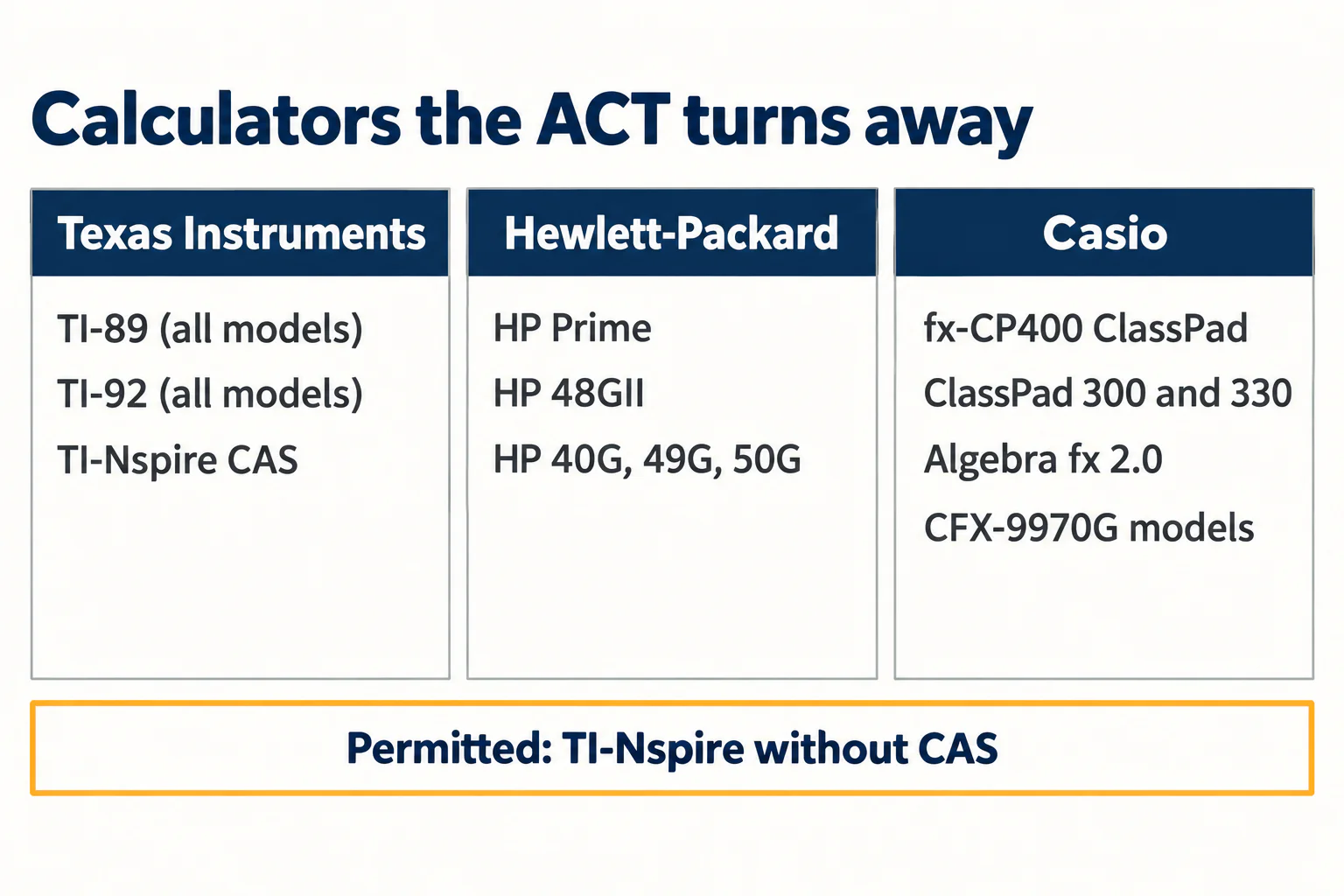
| Manufacturer | Prohibited models |
|---|---|
| Texas Instruments | All model numbers beginning TI-89 or TI-92; TI-Nspire CAS |
| Hewlett-Packard | HP Prime; HP 48GII; all HP 40G, HP 49G and HP 50G models |
| Casio | fx-CP400 (ClassPad 400); ClassPad 300 and ClassPad m330; Algebra fx 2.0; all CFX-9970G models |
ACT adds one note that saves a lot of panic: "TI-Nspire (non-CAS) is permitted." The two machines look nearly identical and sit next to each other in shops. Check the name printed on the case, not the shape of it.
A second, separate list covers devices that are not really calculators at all. Handheld, tablet and laptop computers are out. So are calculators built into mobile phones or any communication device. So are electronic writing pads and pen-input devices, with one named exception, the Sharp EL 9600, which is specifically permitted. And any calculator with a QWERTY keyboard is refused, while non-QWERTY letter keys are fine.
The five modifications you have to make first

A permitted model can still be refused if it has not been prepared. ACT lists five changes, and each applies only to calculators that have the feature in question.
- Calculators that hold programs or documents: remove all documents, and remove all programs with CAS functionality.
- Calculators with paper tape: remove the tape.
- Calculators that make noise: turn the sound off.
- Calculators with an infrared data port: cover the port completely with heavy opaque material. ACT's own example is duct tape.
- Calculators with power cords: remove all power and electrical cords.
Read item one carefully, because it is asymmetric and the asymmetry is deliberate. All documents go, whatever they contain. Only programs with CAS functionality go. A student who deletes everything in a panic loses work they were entitled to keep, and a student who keeps everything may be carrying the one thing that gets the calculator refused.
Not sure where your teen stands? A free consultation with Catalyst Test Prep maps exactly which SAT topics need the most work, so you're never guessing about study time.
Book a Free Consultation →The 25-line rule on calculator programs

This is the part of the policy that rewards reading the source. ACT does not ban calculator programs. It publishes a specification for which ones are acceptable, and the specification is unusually precise.
The permitted kind are single-purpose programs. ACT's own example is a program that finds numeric solutions to a quadratic equation, and its reasoning is that the student still has to choose the right program for the right job, which it compares to choosing the right formula. The rules that follow are the quotable part:
- Programs must be written in the language of the calculator. Anything written elsewhere, compiled and loaded on is not allowed, so that the program can be inspected on the device.
- The limit is 25 logical lines of code.
- Programs cannot call another program.
- Compressing code into a data statement does not get around the limit. ACT names the workaround and rules it out.
Two practical notes follow. An app counts as a program, whatever the calculator calls it: ACT states that "the definition of 'program' includes apps". And on anything uncertain, ACT's advice is to delete rather than argue, because it says plainly that it is not familiar with every maths program available and recommends removing anything you are unsure about before test day.
Online and paper testers do not get the same tool
Students taking the ACT online have the Desmos graphing calculator built into the testing platform during the maths section. Paper testers have nothing beyond what they carried through the door.
That split matters more than it sounds, and it is the reason to decide early rather than on the morning. If you are testing on paper, the handheld is not a backup to anything. It is the only calculator in the room, staff hold no spares, and sharing a calculator during the test is not permitted. A flat battery in the maths section is simply the end of calculator access for that sitting, which is why ACT recommends bringing a backup calculator, spare batteries, or both.
If you are testing online, the familiar advice still applies in reverse: practise on the tool you will actually use. A student who has spent a year on a handheld and meets Desmos for the first time on test day has swapped a known instrument for an unknown one at the worst possible moment. The same logic governs the digital SAT, where Bluebook's embedded Desmos is the default rather than the alternative, and our guide to using the Desmos calculator on the digital SAT covers the interface in detail.
What happens if you get it wrong
ACT states the consequence in one line: "Examinees who break the calculator policy will be dismissed for prohibited behavior." That is dismissal, not a conversation, and it sits alongside the ban on sharing calculators mid-test.
In practice the failure is almost never deliberate. It is a borrowed TI-89 from an older sibling, a maths club app installed and forgotten, a documents folder nobody cleared, or a QWERTY-keyed model bought because it looked capable. All four are avoidable the week before, and none is fixable in the queue outside the test centre.
Build it into the same pass you make over the rest of test day. The ACT's wider rules matter here too: you need to be inside the test centre by 8:00 a.m., late arrivals cannot be admitted, and electronic devices are not allowed during the break. If you still need to move a sitting, changing or cancelling an ACT registration sets out the deadlines and fees, and if you are weighing the two tests at all, the SAT against the ACT is the decision that comes first.
What to do this week
- Read the name on the case. If it contains CAS, it stays home. If it begins TI-89 or TI-92, it stays home.
- Clear the documents, audit the programs. Everything in documents goes. Programs go only if they do algebra symbolically, and anything over 25 lines goes regardless.
- Check the edges of the device for an infrared port, a tape slot and a power socket, and deal with whichever exist.
- Put fresh batteries in and pack a spare calculator. Nobody in the room can help you with this one.
- Practise on the tool you will sit with, handheld or Desmos, for at least two full maths sections before test day.
Where this leaves you
The ACT calculator policy is strict about hardware and surprisingly relaxed about software, which is the opposite of what most students assume. A CAS machine is refused outright however you prepare it, while a modest 25-line quadratic solver written on the calculator itself is explicitly allowed. Knowing which side of that line you are on is a ten-minute job and it is worth doing in the week before, not the night before.
And keep ACT's own framing in view while you do it. Every question on that section can be answered without any calculator at all, so the goal is a familiar machine that is unambiguously legal, not the most powerful one you can find. The students who lose time to a calculator usually lose it by reaching for the device on questions that were faster by hand.
Ready to turn a prep plan into real score gains? Catalyst's 1:1 live online SAT programme starts with a free consultation to benchmark your teen's starting point and build a personalised path to their goal score.
Book a Free ConsultationSources checked 4 November 2026: ACT Calculator Policy and ACT CAS Calculator FAQ. ACT updates the prohibited list periodically, so confirm your model before test day. To model what a practice score becomes, use our ACT score calculator.